
Nissan Murano
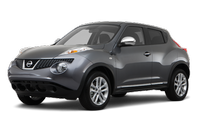
The Nissan Murano was one of the first midsize crossovers introduced in the United States. At its debut, it instantly became a popular alternative to the traditional SUVs of the time thanks to its carlike ride, spacious interior, powerful V6 engine and distinctive styling. Since then a second-generation Murano has bowed. It follows a similar formula, though it's a bit classier than the older model and has a more responsive transmission.
- Nissan Murano 2009-2026 Owner's Manual
- Foreword
- NISSAN customer care program
- Illustrated table of contents
- Safety — Seats, seat belts and supplemental restraint system
- Instruments and controls
- Pre-driving checks and adjustments
- Monitor, heater, air conditioner, audio, phone and voice recognition systems
- Starting and driving
- In case of emergency
- Appearance and care
- Maintenance and do-it-yourself
- Technical and consumer information
- Nissan Murano (Z53, 2025-2026) Owner's Manual
- Illustrated table of contents
- Safety - Seats, seat belts and supplemental restraint system
- Instruments and controls
- Monitor, climate, audio, phone and voice recognition systems
- Starting and driving
- In case of emergency
- Appearance and care
- Do-it-yourself
- Maintenance and schedules
- Technical and consumer information
See also:
Soft top (CrossCabriolet models)
1. Soft top indicator light (on the combination
meter)
2. Soft top operating switch
3. Top lock hole
4. Soft top
5. Rear parcel shelf
6. Skylight glass
7. Rear window
8. Top storage lid
9. ...
Storage
Front-door pockets
Lower console storage tray
Seatback pockets
There is one seatback pocket located on the back of the passenger seat. This pocket can be used to store maps,
pape ...
Towing safety
Trailer hitch
Your vehicle may be equipped with an optional
trailer tow package. The trailer tow package includes
a receiver-type frame mounted hitch. This
hitch is rated for the maximum towing ca ...